The advice goes that you should never defrag an SSD, and that Windows does it behind your back anyway. This page is part of Flash Myths, Tested, where I check a common claim about flash against sources and sometimes a lab model. Windows does defragment an SSD, but Microsoft documents that as once a month, and nothing in my sources shows it wearing a drive out. Even a pass that rewrote every byte of a 1TB drive every month would use about 2% of a 600TBW rating in a year.
Where the myth comes from
Defrag was built for the hard drive. On a 7,200rpm desktop drive every fragment of a file cost an average seek of 8.5ms and half a rotation of 4.16ms, so a file in 64 pieces, for example, paid that price 64 times. Moving the pieces together was worth real time. Figure 1 draws that cost for one file.
Where the myth comes from
Every piece of a file cost a hard drive a seek and half a turn
One file read in pieces, on a hard drive and on an SSD
An SSD has no head to move, and it does have a finite number of writes. Scott Hanselman’s 2014 post, written with Windows storage developers, describes the common advice as avoiding writes that look unnecessary. A defrag is a lot of writes that look unnecessary, and my reading is that the two ideas joined up into a warning.
What Windows does to an SSD
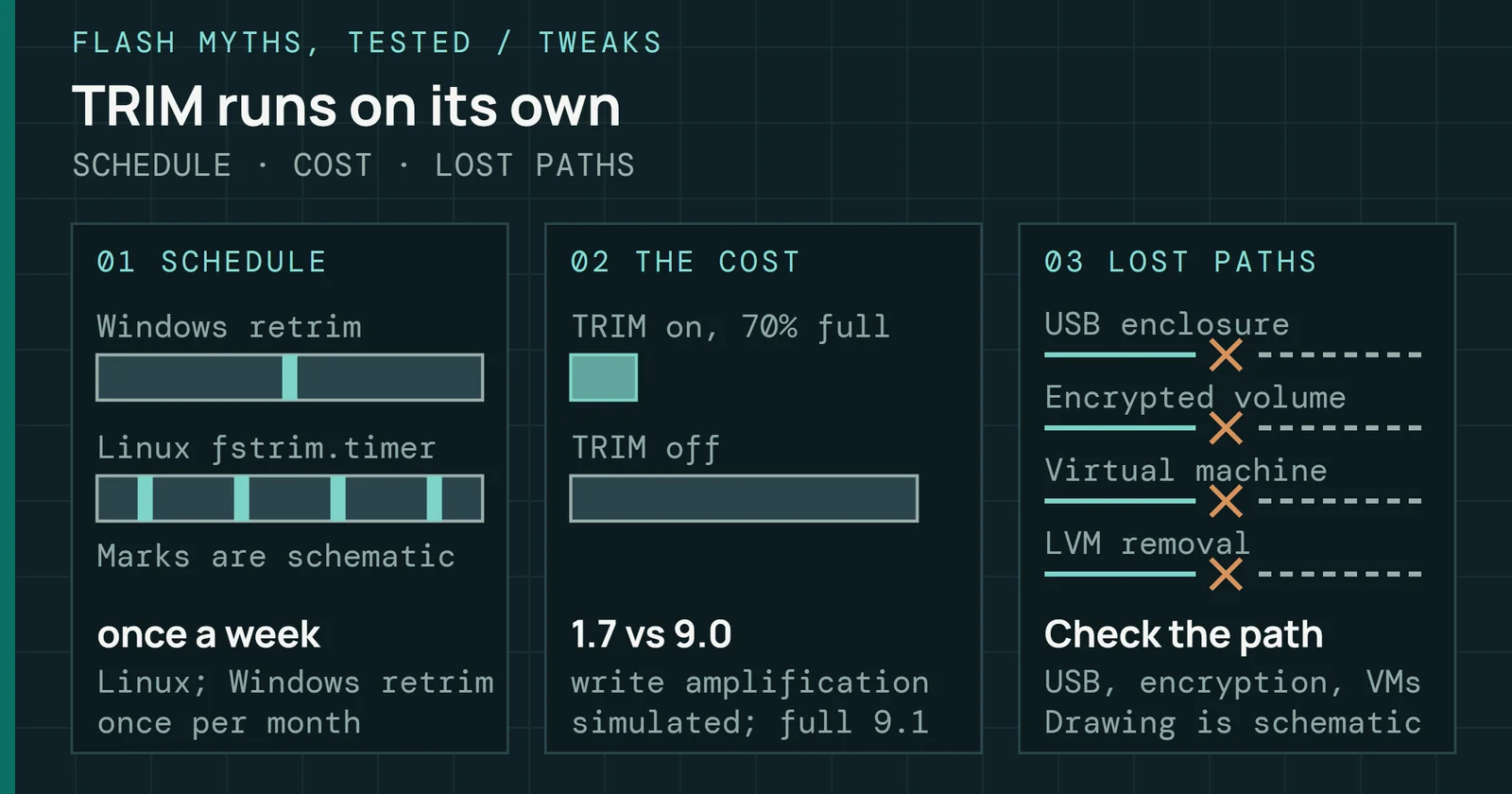
Microsoft Learn describes defrag as a scheduled maintenance task that typically runs every week. For an SSD the page says the traditional optimization, meaning defragmentation plus retrim, is done once per month, and changing how often the task runs does not change that once-per-month cadence.
What Windows does to an SSD
The task runs weekly, but an SSD gets its defrag once a month
Schematic of one month, as the defrag page on Microsoft Learn describes it
Figure 2 draws that as a schematic. Microsoft’s page does not say where in the month the SSD pass falls, so the bar spans all four weeks. Two more rules on the page limit it further. If you run a traditional defrag on an SSD by hand between the scheduled runs, the next scheduled run does analysis and retrim but skips the defrag. And a volume with less than 15% free space is only partly defragmented.
Retrim is a different job. Microsoft’s PowerShell Optimize-Volume page lists the default for an SSD with TRIM support as ReTrim, which sends TRIM hints for all unused sectors. It does not move files. It exists because, as Hanselman’s post explains, the file system queues TRIM requests and may drop some when the queue is full, so a periodic retrim catches the ones that were missed.
That post also quotes an unnamed Windows storage developer saying the storage optimizer defrags an SSD once a month if volume snapshots are enabled, because copy-on-write is slow on a fragmented SSD volume. That is a 2014 statement from a blog post, and the current Learn page states no snapshot condition. That developer also says an SSD that gets too fragmented can reach a limit on how many fragments the file system’s metadata can track, which causes errors when a file is written or extended.
On my own Windows machine, the Event Viewer log shows a completed defrag message and a completed retrim message on my four NVMe volumes in most weekly runs. It holds the newest 60 events, which cover seven runs from 2026-09-19 to 2026-10-24, and one of those runs is a lone retrim. Microsoft’s Learn page documents a monthly schedule for an SSD, and I don’t know why the two differ.
What one pass costs in the lab
The Defrag Lab models a small volume of 1,024 blocks of 4KiB, filled to 75% and aged by months of files coming and going. These are model values, not a measurement of a drive.
A full defrag of that volume moved 14 files and cut their fragments from 59 to 22. To do it the host wrote 274 pages. Garbage collection added 12 copies, so the chips programmed 286, and the drive erased 20 blocks. A defrag also did not put the data in a row on the chips. In the model it made the addresses contiguous, and the drive wrote the pages to new places anyway, which is how the model maps addresses and not a claim about a real drive.
What one pass costs in the lab
One full defrag speeds a model hard drive far more than an SSD
Read time after a full defrag of the Defrag Lab's 75%-full volume
Figure 3 is the payoff. Reading every file back, the model hard drive got 61% faster and the model SSD got 15% faster. Stopping the seeks is where the hard drive gains. The SSD gains less because a fragment only costs it extra when it adds a command.
How much it adds on a real drive is less clear. A FAST 2024 paper reports that splitting a request costs little once commands are queued, and that the larger slowdown on real SSDs comes from die-level collisions, because the pieces of a fragmented file land on dies that are not consecutive. At queue depth 1 it measured about 85µs per extra request on NVMe. The lab models queue depth 1 only and simulates no collisions, so read the 15% as one model of one case.
What a smarter defrag writes
Writes are the part of the myth that is true. FragPicker’s authors write that most defrag tools migrate whole files, which writes a lot and shortens device life. Their tool analyzes the application’s I/O and migrates only the data it needs. In the 2023 journal version of the paper, it reduced defrag I/O by around 66% and elapsed time by around 84% on YCSB workload C, though the lab reproduces neither number.
What a smarter defrag writes
Defragging only the split data wrote under a third as much
Pages written by one defrag of the Defrag Lab's 1,024-block volume
Figure 4 runs the same idea in the lab. Defragging only the split data wrote 79 pages against 274 for the full defrag, and both made the lab’s traced reads 3% faster. The lab’s monthly pass is small too. On the lab’s nearly full volume after a month of use, with snapshots switched on as a what-if of the 2014 statement, the monthly pass defragmented 3 files and wrote 89 pages. With snapshots switched off, the same pass on that volume defragmented nothing.
How much wear is that
Take the worst case for a monthly defrag, which rewrites every byte of a 1TB drive each time. That is 12TB of writes a year, 2% of the 600TBW rating of the 1TB Samsung 870 EVO, so the rating would last about 50 years. Figure 5 sets the 12TB against the rating.
How much wear is that
A year of monthly full rewrites is 2% of the rating
Worst case: every byte of a 1TB drive rewritten each month
I have no measurement of what Windows’ monthly pass writes on a real drive, and my sources don’t give one.
What to do with this
Leave the schedule alone. The scheduled pass is the version Microsoft limits to once a month, and a manual defrag only moves it, because the next scheduled run skips the defrag. Keep at least 15% of the volume free so a pass can finish. Figure 6 shows what a pass does and the free space it needs.
What to do with this
Defrag writes your files, retrim sends hints, and a pass needs room
What one scheduled pass on an SSD does, and the free space it needs
Retrim is the useful part for an SSD, and it writes nothing of your files. If you want to see the whole chain, from fragments to TRIM to the monthly pass, the lab walks through it chapter by chapter.