Pong is a small project I made in high school, rebuilt as a lightweight two-player game for the browser. Two people share one keyboard and play to 7 points. It runs on HTML5 Canvas with no install, engine, or account, and you can start a match at pong.eyesonflash.com. It sits on the Software page next to Blast Past, the other browser game I rebuilt this way. My original Python/tkinter edition stays in the GitHub repository for local desktop play.
A blast from the past
Why Pong?
Sometimes the best way to explore technology isn’t complexity. It’s fundamentals. I wanted to revisit these by rebuilding it from scratch with modern tools:
- Real-time input handling
- Physics simulation
- UI rendering pipelines
- Local multiplayer logic
All inside an extremely minimal stack. That strips things back to what matters: logic, responsiveness, and interaction.
What it is
You get a fully playable local two-player Pong game, hosted on Cloudflare Pages at pong.eyesonflash.com. The original Python/tkinter edition stays in the GitHub repository for local desktop play.
- HTML5 Canvas
- Browser-native keyboard input
- No install, engine, or account
Core features
Local two-player multiplayer
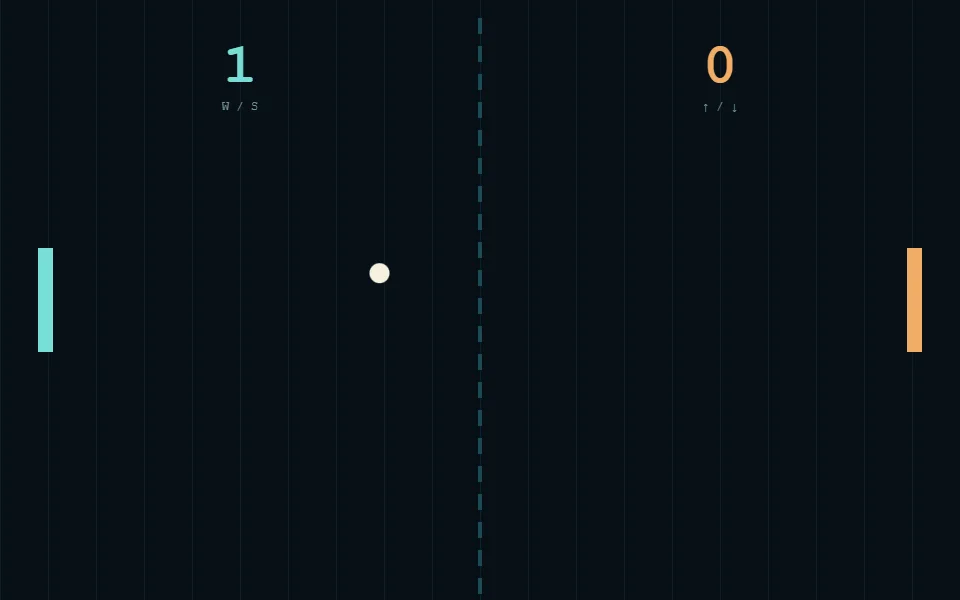
Player 1 uses W / S; Player 2 uses ↑ / ↓. Both players share one keyboard. Each side’s keys are printed under its score.
Angle-based paddle physics
Ball reflection depends on hit position, so the paddle sets the return angle: edge hits deflect sharply and center hits come back flatter.
Progressive speed system
Each paddle hit speeds the ball up, so a long rally gets faster. Space starts, pauses, or resumes a match, and F toggles fullscreen.
Score-based victory
First to 7 points wins, and Space starts the next match.
Minimal dark UI
Clean, distraction-free interface rendered with HTML5 Canvas. On screen are the paddles, ball, score, a dashed center line and each side’s keys. A text overlay appears only at start, pause and win.
Designed for simplicity
The build intentionally avoids:
- Game engines
- External libraries
- Asset pipelines
Everything runs in a modern browser on Cloudflare Pages, which makes it ideal for:
- Learning environments
- Lightweight experimentation
- Systems-thinking exercises
- Fast browser play
Controls
| Action | Player 1 | Player 2 |
|---|---|---|
| Move Up | W | ↑ |
| Move Down | S | ↓ |
| Start / Pause / Resume | Space | Space |
| Fullscreen | F | F |
What this represents
At Eyes on Flash, the focus is heavily on performance systems, storage, and compute architecture. But interaction still matters, and a project like this works as:
- A quick check of the input, physics and render loop in a browser, with nothing to install.
At bottom, a game like this comes down to the loop of input, physics, and response.
Try it
Play it on pong.eyesonflash.com. Both the original Python edition and the browser source are on GitHub.
Get started
Play Pong on Cloudflare Pages, or open the source on GitHub.